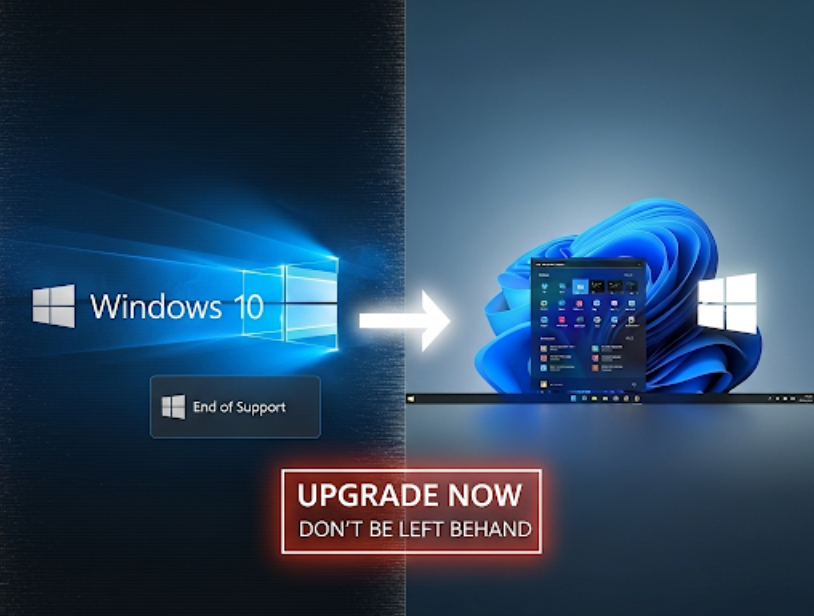
Key Takeaways:
- Windows 10 reaches end of support on October 14, 2025, ending security patches and exposing users to increased cyber risk.
- SharePoint servers running on unsupported or unpatched Windows 10 systems have already been compromised in recent targeted attacks.
- Microsoft offers limited Extended Security Updates (ESUs), but they are short-term and come with caveats like syncing Microsoft accounts or paid enrollment.
- Windows 11 offers enhanced security architecture, hardware protections, and compatibility with modern enterprise tools like Microsoft 365 and SharePoint Online.
- Failing to upgrade can lead to compliance issues, data breaches, and downtime, especially for businesses still relying on legacy infrastructure.
Microsoft will officially end support for Windows 10 on October 14, 2025. While the announcement isn’t new, many individuals and businesses continue to ignore the deadline—either assuming they have more time or expecting Microsoft to extend its support yet again. But this time, the consequences of inaction are far more serious. In recent months, multiple cyberattacks have exploited weaknesses in Windows 10 environments, with SharePoint vulnerabilities playing a central role. If you're still using Windows 10, the time to upgrade to Windows 11 isn't later—it's now.
The end of support for Windows 10 means the operating system will no longer receive security updates, bug fixes, or technical support from Microsoft. Any vulnerabilities discovered after October 14, 2025, will remain unpatched, turning Windows 10 machines into open doors for attackers. Microsoft is offering a limited safety net in the form of Extended Security Updates (ESUs), but these are only available for a year and require users to either sync their system to a Microsoft account or pay for access. For enterprise users, the cost adds up quickly—and that’s assuming your devices even qualify.
More troubling is that hackers are already exploiting the lag in adoption. A series of SharePoint-related breaches this summer revealed how attackers were able to infiltrate critical systems that were either unpatched or running on unsupported Windows versions. In one attack reported by The Washington Post, Chinese state-sponsored groups used a vulnerability in SharePoint (CVE-2025-53770) to gain access to data from U.S. government agencies and contractors. Many of the affected systems were running legacy Windows 10 builds that had not received the latest patches—or could not apply them due to compatibility issues.
This attack chain—initial access via SharePoint, followed by lateral movement across the network—highlights a key point: even a fully patched SharePoint server can’t protect your organization if the underlying operating system is no longer supported. When Microsoft ends support for Windows 10, attackers will have a blueprint for exploiting every organization that hasn’t made the switch.
Read how China has exploited outdated SharePoint servers and Microsoft's warning that these attacks are escalating into ransomware.
The implications go beyond security. Windows 11 introduces several security features that Windows 10 simply lacks, including mandatory TPM 2.0 (Trusted Platform Module) support, secure boot requirements, and better memory integrity protections. These enhancements help block rootkits, credential harvesting tools, and other common malware at the hardware level. For enterprises running SharePoint—especially on-premises—these protections are no longer optional. Without them, the risks multiply with every passing month.
What makes this situation more urgent is the current threat environment. AI-driven malware and phishing kits are lowering the barrier to entry for attackers, making it easier to target older systems with known flaws. Delays in patching are no longer an operational inconvenience—they’re a liability. And the longer your business waits to move off Windows 10, the more likely it is to become a target.
This is especially relevant for companies that manage their own SharePoint infrastructure. Microsoft has already begun shifting feature and patch development to focus on Windows 11 and SharePoint Online. New features like sensitivity labels, dynamic access policies, and audit logging enhancements are being optimized for Windows 11 environments. Legacy systems will be left behind—not just from a support standpoint, but from a functionality one as well.
In a recent post on Tehrani on Tech's Cybersecurity blog, it was noted that delays in updating legacy infrastructure have become one of the top contributors to enterprise breaches. How bad is it? The US nuclear weapons agency was breached. Companies assume that because their systems are "working," they’re safe. But the growing number of nation-state attacks, ransomware incidents, and identity theft events tied to out-of-date Windows deployments tells a different story. As outlined in prior security coverage, compliance is not just about avoiding fines, it’s about avoiding disaster.
While Microsoft’s ESU program does offer a temporary safety net, it's exactly that—temporary. For consumers, updates can be extended by signing into a Microsoft account and joining the Microsoft Rewards program. For businesses, enrollment requires negotiating costs per device. Either way, it's not a replacement for a full upgrade, and those updates do not include performance improvements, bug fixes, or feature enhancements. At best, they’re a short-term way to reduce exposure while you plan your migration.
And that migration will require planning. Windows 11 has hardware requirements that not all existing Windows 10 machines can meet. If your PC was built before 2018, there's a good chance it lacks TPM 2.0 or the right CPU support. That means businesses must not only budget for software migration but also for hardware refresh cycles. While that can feel burdensome, it's also an opportunity: organizations can modernize their endpoint security posture while improving performance and compatibility.
For IT teams, the transition to Windows 11 is also a chance to re-evaluate endpoint management, remote access policies, and system hardening practices. Tools like Microsoft Intune, Defender for Endpoint, and cloud-based SharePoint services are all designed with Windows 11 in mind. Making the move now means future-proofing your environment—not scrambling to react when the next wave of ransomware hits.
If you’re on the fence, consider this: attackers are already targeting the systems you’re relying on. Waiting until October 2025 to make a change won’t help. That deadline is not a suggestion—it’s a warning. And the cost of waiting could be the integrity of your data, the trust of your customers, or the survival of your business.
If you have questions or want to move forward - reach out to the tech support experts at Apex Technology Services ASAP so we can help bring you up to date and keep you secure.

 Apex Technology Services